The store will not work correctly in the case when cookies are disabled.
We collect user information to provide a better user experience and protect the security of our website. By continuing to use our website, you acknowledge the use of cookies.
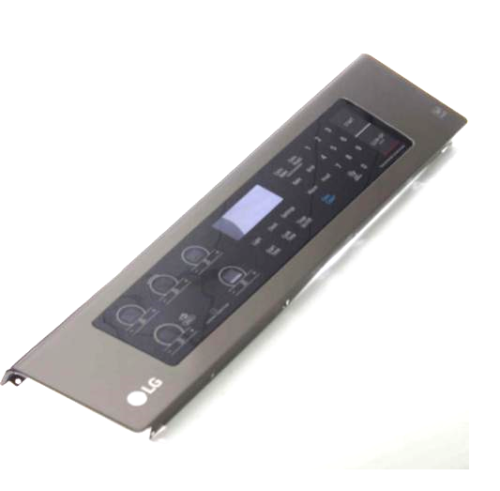
The LG AGM73551661 Range Control Panel & Membrane is responsible for operating and controlling the range by offering a simple interface for adjusting the range settings including the temperature, time, and mode of cooking among others. It has sensitive buttons and touch-sensitive controls, which makes it fairly easy and convenient to use the range. It also improves the usability of the appliance by providing an easy access to all the required controls. This panel is durable and sensitive, enhancing the cooking process by providing efficient control and durability, which makes it a suitable replacement part for proper range functioning.
What maintenance is required for the LG AGM73551661 Control Panel And Membrane?
Regularly wipe the panel with a soft, damp cloth to remove grease and debris, avoiding abrasive cleaners. Ensure buttons are not sticky and connections are secure. Proper maintenance prevents operational errors and maintains accurate control, keeping the unit better to operate.
What are common issues with the LG AGM73551661 Control Panel And Membrane?
Unresponsive or sticking buttons.
Display flickering or failing.
Error codes appearing unexpectedly.
Intermittent connection issues affecting range operations.
Installation Steps
Step1: Disconnect power to the range at the circuit breaker before beginning the installation.
Step2: Remove the screws securing the rear control panel cover to access the control assembly.
Step3: Disconnect the wire harnesses and remove the damaged control panel and membrane assembly carefully.
Step4: Position the new control panel and membrane assembly, then reconnect all wiring securely.
Step5: Reinstall the control panel cover, restore electrical power, and test the touch controls and oven functions for proper operation.