The store will not work correctly in the case when cookies are disabled.
We collect user information to provide a better user experience and protect the security of our website. By continuing to use our website, you acknowledge the use of cookies.
Observance of Labor day 09/07, Monday we are closed [No shippings and deliveries ], Orders received after 3.00pm CST on 09/04/2026 will be shipping out on Tuesday 09/08/2026.
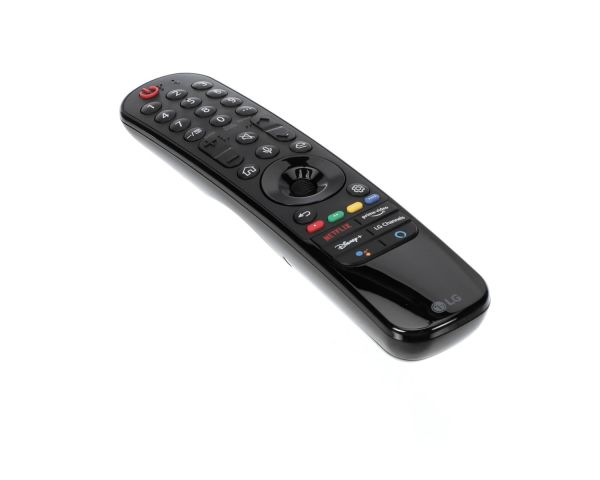
The LG AKB76039702 Magic Remote is an effective and ergonomic can be used to control efficiently. The motion-sensing technology and a scroll wheel make it simple to operate using hand movements and the click-and-point approach. With the support of the voice recognition function, it becomes possible to use voice to search the contents, to change the setting, or to manage the connected components. This remote gets rid of the many buttons that are present in most remotes and offers access to frequently used programs.
What maintenance is required for the LG AKB76039702 Remote Control?
Regularly clean the TV remote with a soft, dry cloth to prevent dust buildup around buttons. Replace batteries promptly to avoid leakage and performance issues. Keep it away from moisture and drops. Store in a better, dry place to ensure consistent operationality.
What are common issues with the LG AKB76039702 Remote Control?
Unresponsive or delayed button input.
Weak or no signal transmission.
Battery compartment connection problems.
Pairing or connectivity issues with the TV.
Buttons getting stuck or wearing out over time.
Installation Steps
Step1: Remove the batteries from the old remote and set it aside if replacing it.
Step2: Insert batteries into the new remote, ensuring the correct polarity.
Step3: Turn on the television and point the remote at the TV receiver.
Step4: Complete the pairing process if prompted on the television.
Step5: Test the Power, Volume, and Menu buttons for proper operation.
Step6: Confirm the new remote responds correctly to all essential functions.