
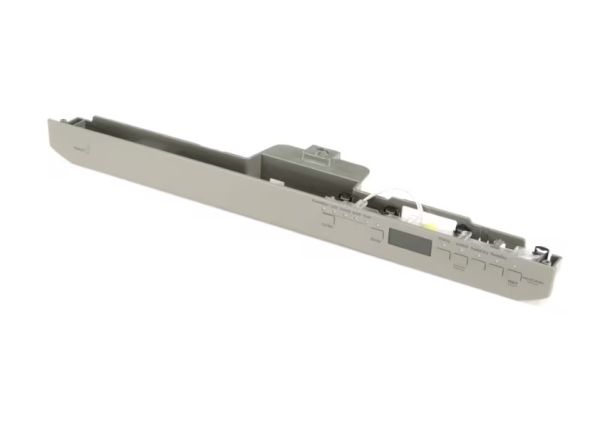
Whirlpool W10897043 Dishwasher Control Panel W/Touchpad

Special Price $136.66 Regular Price $152.95
In stock
Available Quantity:   41
SKU
W10897043

Product Description

The Whirlpool W10897043 Dishwasher Control Panel with Touchpad ensures seamless operation by managing wash cycles with responsive touch controls. It sends user inputs to the dishwasher’s control board, initiating the selected settings. The panel monitors cycle progress and adjusts functions for optimal cleaning efficiency. Its design simplifies operation while enhancing precision in wash selections. Durable construction ensures long-lasting performance, while the touchpad provides a sleek, modern interface. It is used to maintain consistent cleaning results with minimal effort, improving overall dishwashing functionality.
Manufacturer

https://www.hnkparts.com/media/catalog/product/w/1/w10897043-23716.jpg

This Part Fits the Following Models (3)

Manufacturer Name: WHIRLPOOL
Product Number: W10897043
OEM Part Number: W10897043
Product Description: Panel-Cntl

Choose the best Home Appliance parts and supplies from HnKParts!

  • Same Day Shipping

  • Best Quality And Best Price

  • Wide Range of Inventory

  • Best Customer Service

Have More Questions or Need Help to Place The Order?
Reach us at (866)723-0907 or [email protected]

Write Your Own Review
You're reviewing:Whirlpool W10897043 Dishwasher Control Panel W/Touchpad
Your Rating
Customer Questions
What maintenance is required for the Whirlpool W10897043 Control Panel?

Keep the dishwasher control panel clean and dry by wiping it gently with a soft, damp cloth. Avoid using harsh chemicals that may damage the touchpad surface. Regular control ensures responsive controls and prevents moisture-related issues. Disconnect power before servicing for safety.

What are common issues with the Whirlpool W10897043 Control Panel?

  • Unresponsive or delayed touchpad controls.
  • Buttons not registering input properly.
  • Display not lighting up or flickering.
  • Intermittent control panel operation.
  • Error codes appearing due to control faults.

Installation Steps

Step1: Disconnect power at the circuit breaker to eliminate risk of electric shock.

Step2: Remove inner door panel screws carefully using a proper tool.

Step3: Disconnect old control panel and touchpad ribbon cable from mounting bracket.

Step4: Install new panel and touchpad aligning all connectors and ensuring proper seating.

Step5: Reassemble door panel, tighten screws, restore power, and test wash cycles.