The store will not work correctly in the case when cookies are disabled.
We collect user information to provide a better user experience and protect the security of our website. By continuing to use our website, you acknowledge the use of cookies.
Observance of Labor day 09/07, Monday we are closed [No shippings and deliveries ], Orders received after 3.00pm CST on 09/04/2026 will be shipping out on Tuesday 09/08/2026.
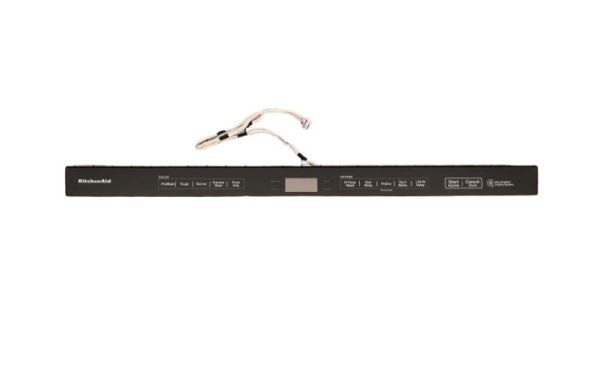
The Whirlpool W11416458 Dishwasher Console is designed to provide simple operation to make it more convenient and effective. This is made to function effectively and enable users to choose cycles, options and other settings for proper dishwashing. It operates in conjunction with the dishwashers electronic control system and reacts to commands to control the process of washing cycles. This console is simple to use and it also makes the appliance simple to operate and helps to increase its longevity.
What maintenance is required for the Whirlpool W11416458 Console W/Touchpad?
Regularly wipe the console and touchpad with a soft, damp cloth to remove grease and residue. Check that all buttons respond correctly and connections behind the panel are secure. Test all cycle selections periodically. Avoid pressing multiple buttons simultaneously to prevent misoperation.
What are common issues with the Whirlpool W11416458 Console W/Touchpad?
Touchpad not responding to inputs.
Cycles starting incorrectly.
Display showing inaccurate settings.
Delayed response when selecting functions on the dishwasher.
Installation Steps
Step1: Disconnect the dishwasher from the electrical supply.
Step2: Open the door and remove screws securing the console panel.
Step3: Carefully separate the old console from the door assembly.
Step4: Reconnect wiring harnesses to the new console connections.
Step5: Position the console onto the door and tighten screws.
Step6: Restore power and test the touchpad for proper response.