
The store will not work correctly in the case when cookies are disabled.
We collect user information to provide a better user experience and protect the security of our website. By continuing to use our website, you acknowledge the use of cookies.
Observance of Independence day July 4th we are closed [No shipping's and deliveries ] on 07/03/2026, Orders received after 3.00pm CST on 07/02/2026 will be shipping out on Monday 07/06/2026
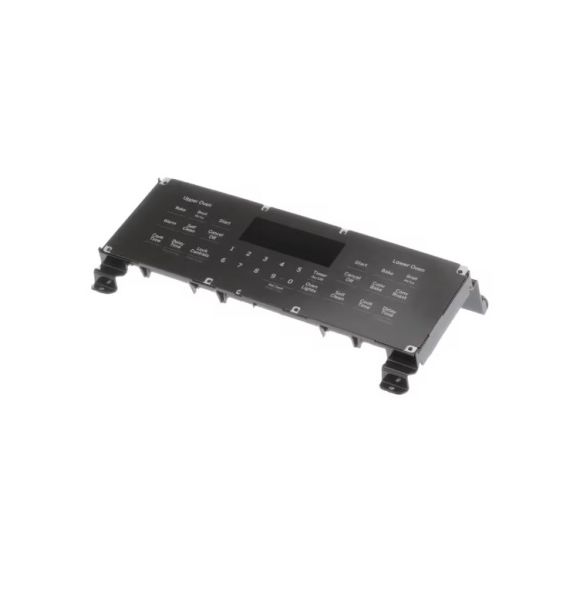
The General Electric WB27X33137 Range Oven Control & Overlay Assembly is equipped with an easy-to-use overlay that enables to choose the cooking options. It functions in the same way as it receives instructions from the user and then controls the heating elements and other systems of the oven properly. This control board is designed to be long-lasting and efficient in improving the cooking ability, longevity, and performance of the oven. Due to its ease of installation, it ensures that it operates optimally to make cooking.
What maintenance is required for the General Electric WB27X33137 Control & Overlay Assembly?
Clean the overlay gently with a soft cloth and mild cleaner. Inspect buttons and knobs for smooth operation. Avoid moisture seeping into electronic components. Proper care ensures accurate temperature control and responsive operation.
What are common issues with the General Electric WB27X33137 Control & Overlay Assembly?
Buttons become unresponsive.
Display intermittently fails to show settings.
Oven settings reset unexpectedly.
Touchpad becomes sticky or difficult to press.
Installation Steps
Step1: Disconnect power to the range at the breaker before servicing.
Step2: Carefully disconnect the wiring harnesses from the old control board.
Step3: Remove mounting screws and take out the existing assembly.
Step4: Install the new control and overlay assembly into position.
Step5: Reconnect the wiring harnesses securely.
Step6: Reattach the panel cover, restore power, and verify oven controls operate properly.
