The store will not work correctly in the case when cookies are disabled.
We collect user information to provide a better user experience and protect the security of our website. By continuing to use our website, you acknowledge the use of cookies.
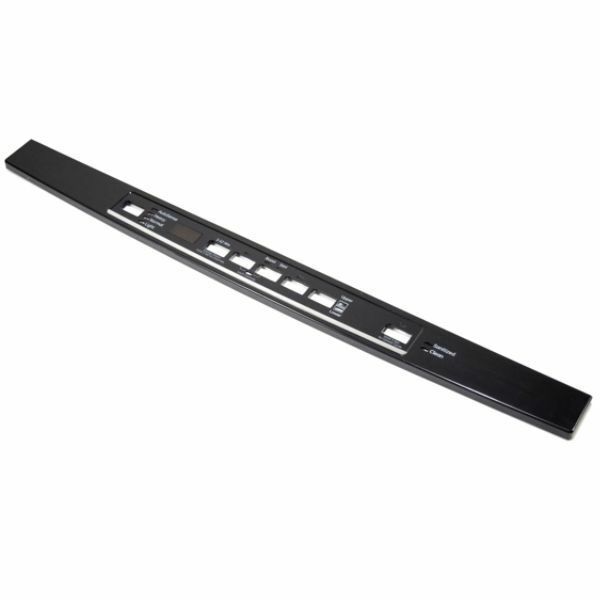
The General Electric WD34X26479 Dishwasher Console Cover & Graphic Assembly is sturdy enclose the control surface and has clear labels to facilitate the use of the part. It is designed to fit snugly over the control board to cover the settings of the dishwasher while at the same time shielding internal parts from dust and moisture. It improves usability, durability, and appearance because it is well-designed and built to fit the appliance better. Replacing a console cover that has been damaged will help to avoid any complications and enhance the usability of the console.
What maintenance is required for the General Electric WD34X26479 Console Cover & Graphic Assembly?
Regularly wipe the console surface with a soft, damp cloth to remove spills or residue. Check that all mounting clips are secure and buttons are aligned. Inspect for signs of damage or discoloration to ensure proper operation.
What are common issues with the General Electric WD34X26479 Console Cover & Graphic Assembly?
Buttons not responding.
Display dimmed or faded.
Touch controls failing.
Labels tearing or misaligned.
Controls sticking intermittently.
Installation Steps
Step1: Unplug the dishwasher to prevent electrical hazards.
Step2: Remove the old console cover by unscrewing any mounting screws.
Step3: Carefully detach the cover and graphic panel without damaging clips.
Step4: Position the new cover & graphic assembly in place, aligning all screw holes and clips.
Step5: Secure the cover with screws.
Step6: Plug in the dishwasher and test all control buttons for proper function.